Affiliate disclosure: This article contains affiliate links. If you buy through them, Flight Sim Workshop earns a small commission at no extra cost to you. All picks are based on merit; affiliate status never determines our recommendations.
Last updated: May 20, 2026 · By: Hardware & Settings Writer, Flight Sim Workshop
TL;DR
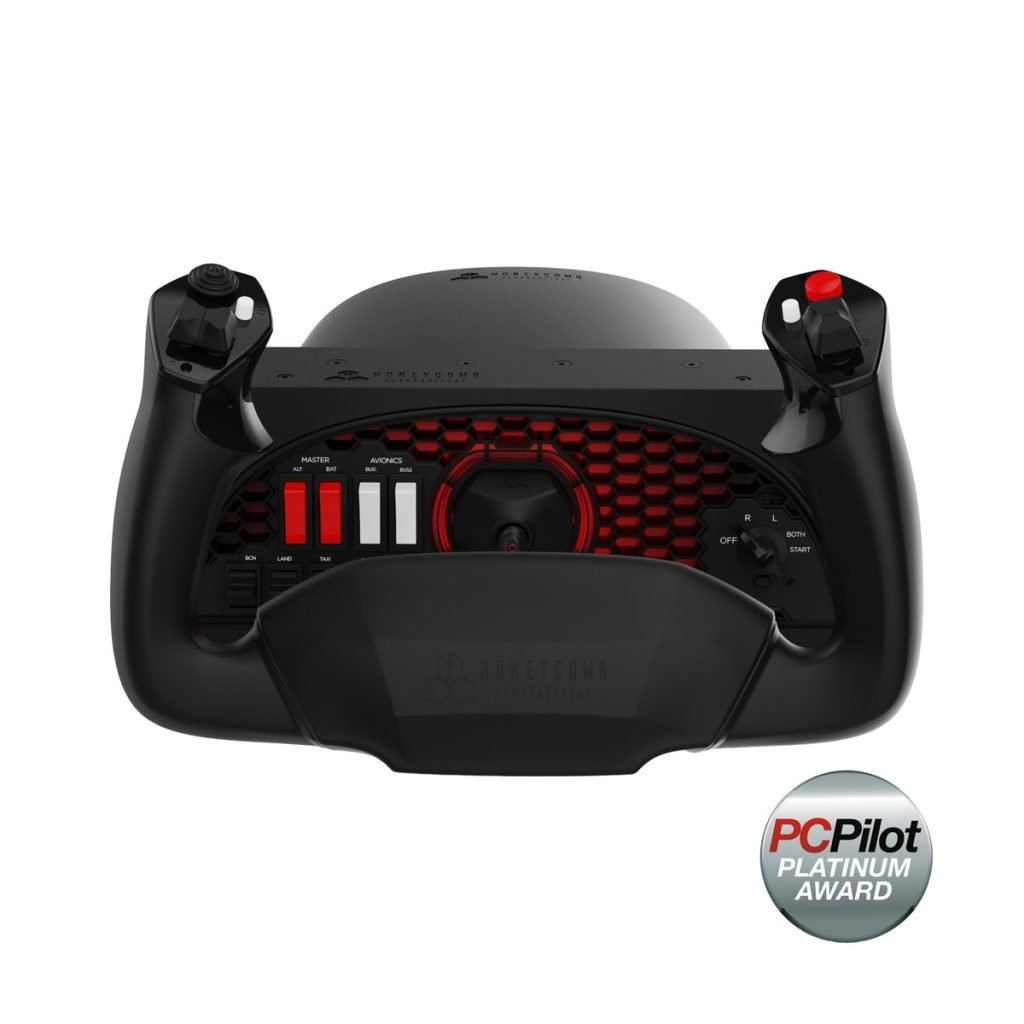
- Top pick: Honeycomb Alpha Flight Controls — $299.99 (flyhoneycomb.com, May 2026). Metal build, realistic yoke feel, full switch panel, MSFS 2024 profiles available. Best all-round beginner yoke.
- Mid-budget pick: Honeycomb Alpha Lite — $199.99 (flyhoneycomb.com, May 2026). Same Honeycomb build quality, stripped-down controls, ideal for pure beginners.
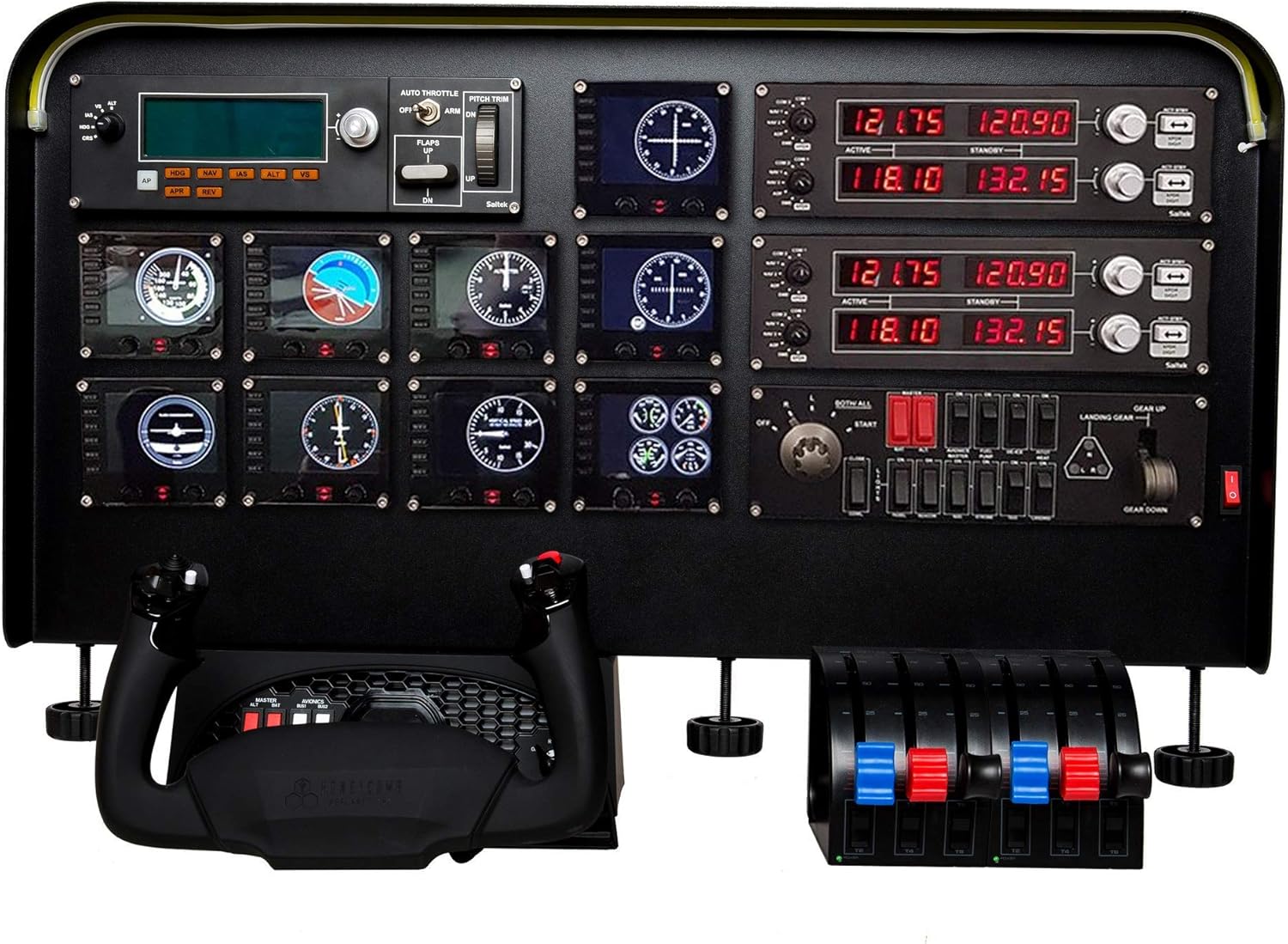
- Budget pick: Logitech G Saitek Pro Flight Yoke — $179.99 (logitechg.com, May 2026). Includes a throttle quadrant, but verify Windows 11 driver compatibility before buying.
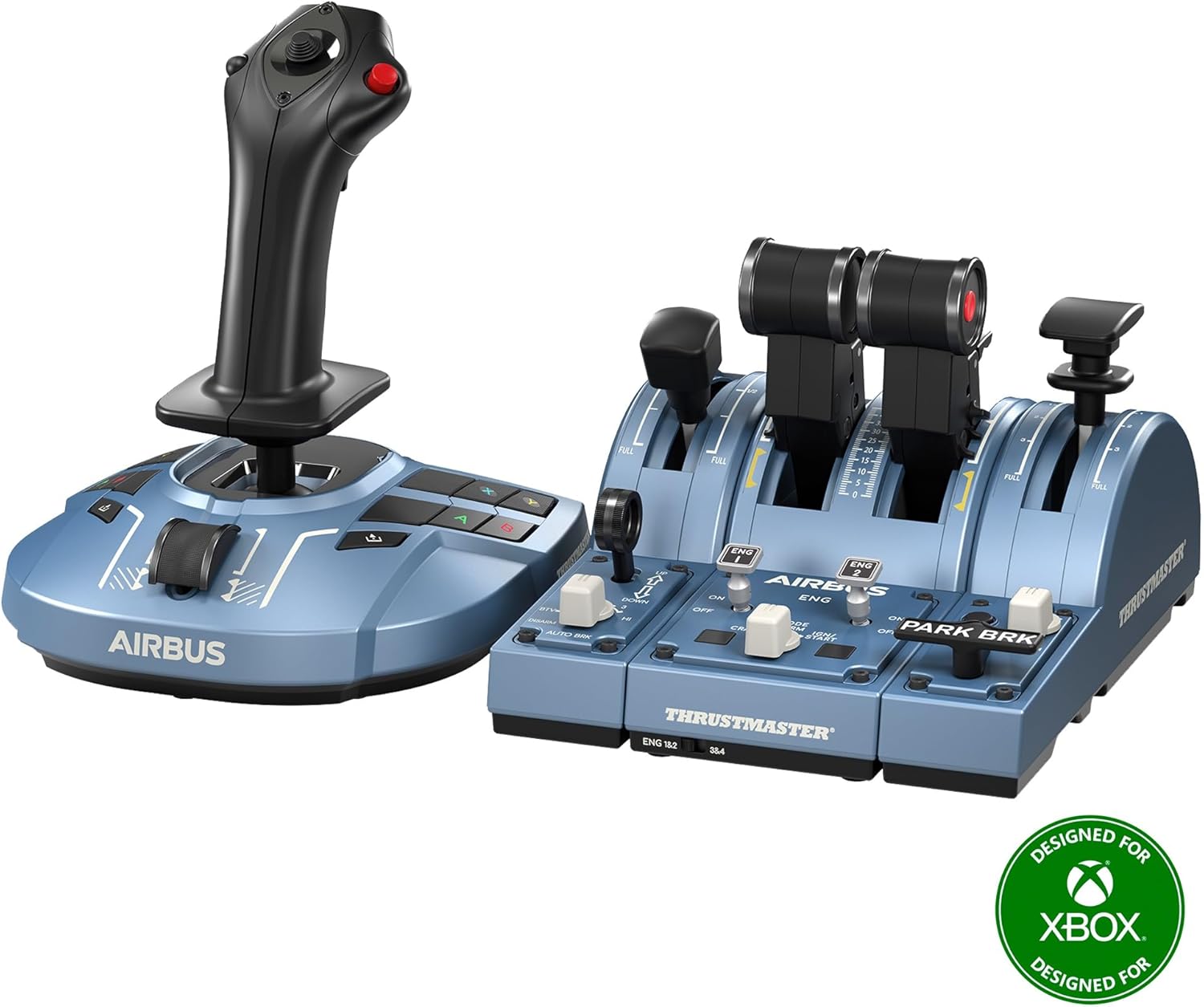
- Who should not buy: If you need Xbox compatibility, none of the sub-$300 options here work — the Thrustmaster TCA Yoke Boeing Edition ($399.99) is the only Xbox-compatible yoke in this roundup but is over budget.
- Don’t forget: A yoke handles pitch and roll only. Pair it with rudder pedals for realistic directional control.
The Honeycomb Alpha Flight Controls ($299.99) is the best flight sim yoke for beginners under $300. It combines a steel shaft, realistic 180° rotation, and a built-in switch panel that no competitor at this price matches. If your budget starts lower, the Honeycomb Alpha Lite ($199.99) delivers the same construction quality with fewer switches — the right call for first-time simmers who want to fly without overspending.
By the end of this guide you will know exactly which yoke fits your budget and MSFS setup: the real differences between all four options, what to watch out for, and what to buy alongside it to complete your cockpit. This buying guide is part of our Flight Yokes pillar within the wider Hardware Guides & Reviews section.
How we evaluated these yokes. Specifications and prices are drawn directly from manufacturer product pages (flyhoneycomb.com, logitechg.com, thrustmaster.com), verified as of May 20, 2026, and linked at the start of each section. Community compatibility data references the Microsoft Flight Simulator official forums and verified Windows 11 driver reports. Flight Sim Workshop never invents specs or passes spec-sheet summaries off as hands-on reviews; where we synthesise community consensus rather than cite direct testing, we say so.
Why upgrade to a yoke?
If you’re flying MSFS 2024 on a keyboard, mouse, or Xbox controller, a yoke is one of the biggest single upgrades you can make. A yoke — the steering-wheel-style control column used in real GA aircraft and airliners — connects every banking turn and pitch change to your hands in a way a thumbstick cannot replicate. To understand the three flight axes a yoke does and doesn’t drive, see our MSFS 2024 flight controls guide on pitch, roll, and yaw.
The difference shows most in three areas:
- Realism. General aviation aircraft (Cessna 172, Piper Arrow) and most airliners use yokes in real life. Flying them in MSFS with a matched control column makes inputs feel immediate and natural.
- Precision. A yoke’s larger range of motion helps with smooth instrument approaches, crosswind landings, and delicate altitude holds.
- Transferable habit. If you are working toward a real PPL (Private Pilot Licence — the basic qualification to fly small aircraft solo), training on a yoke builds muscle memory that transfers to the actual aircraft.
Joysticks and HOTAS (Hands On Throttle-And-Stick — a combined joystick-and-throttle unit built for jet combat simulation) setups suit fighter jets, bush flying, and anything with a centre stick. For GA training and airliner flying under $300, a yoke is the correct tool.
Our top picks at a glance
| Yoke | Price (May 2026) | Shaft | Axes | MSFS 2024 | Verdict |
|---|---|---|---|---|---|
| Honeycomb Alpha | $299.99 | Steel | Pitch + roll | Yes — profiles available | Top pick |
| Honeycomb Alpha Lite | $199.99 | Steel | Pitch + roll | Yes — profiles available | Runner-up |
| Logitech G Saitek Pro | $179.99 | Stainless steel | 5 (yoke + throttle) | Yes — driver check needed | Budget pick |
| Thrustmaster TCA Boeing | $399.99 ⚠️ | 100% metal internal | 6 | MSFS 2020/Xbox confirmed; MSFS 2024 PC unconfirmed | Premium / Xbox only |
Top pick: Honeycomb Alpha Flight Controls — $299.99
Primary source: flyhoneycomb.com/products/alpha-flight-controls, retrieved May 20, 2026.
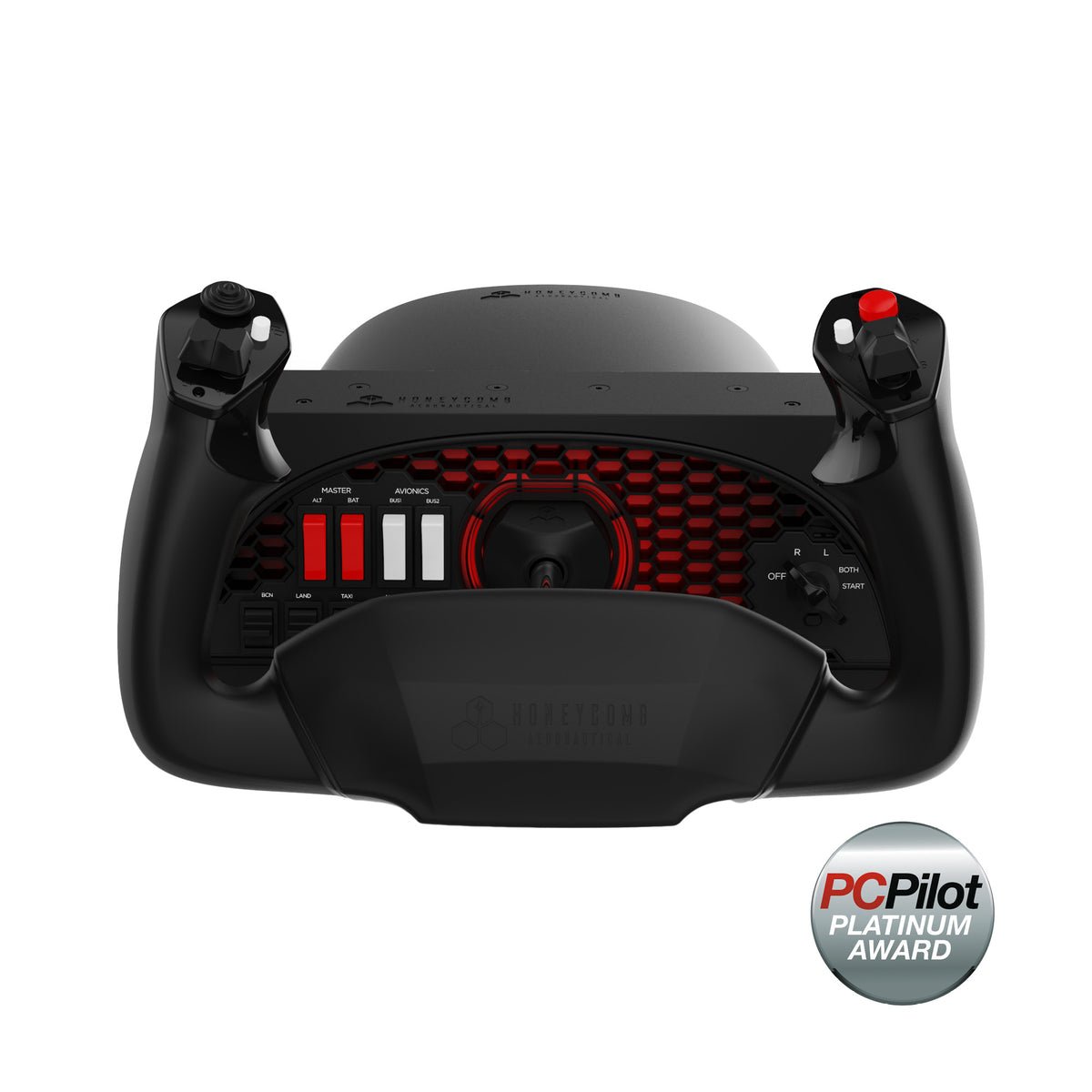
Honeycomb built the Alpha specifically for desktop flight simulation. The steel shaft on dual linear ball bearings — versus pivot-style mechanisms in lower-priced alternatives — represents a clear specification-level advantage drawn from direct spec comparison of the ball-bearing shaft system versus pivot-style mechanisms.
Build quality and feel
The Alpha’s control shaft is solid steel, running on dual linear ball bearings (Honeycomb product spec, May 2026). The result is a smooth, play-free glide through the full 180° of yoke rotation. The self-centering mechanism has no centre detent — no “click” at neutral — and Honeycomb lists minimal deadzone, both important for stable autopilot handoffs and smooth ILS (Instrument Landing System — radio guidance that helps aircraft locate the runway in low visibility) approaches.
The integrated switch panel sets the Alpha apart at this price: master, alternator, avionics, and light switches are physical toggles, plus a 5-position ignition switch with red LED backlighting. These replicate a real GA instrument panel rather than mapping to arbitrary keyboard shortcuts.
Both handles are well-equipped per Honeycomb’s spec sheet: the left carries an 8-way POV hat switch (POV — Point of View: a directional button cluster for panning the cockpit view in 8 directions), two vertical 2-way rocker switches, two buttons, and a push-to-talk; the right has two horizontal rocker switches and two buttons. Dimensions: 40 × 13 × 27 cm. Connects via USB-C to USB-A (cable included). 2-year limited warranty.
MSFS 2024 compatibility
Honeycomb provides ready-to-use MSFS 2024 device profiles on their support page, including aircraft-specific profiles. The Alpha connects on first plug-in with default bindings; Honeycomb recommends downloading the aircraft profiles for optimal axis mapping. Compatible with PC and Mac.
Verdict
If you want one yoke under $300 that will carry you from your first Cessna circuit through Boeing autoland approaches, buy the Alpha. It is the only option at this price with a full switch panel, steel shaft with precision bearings, and manufacturer-supported MSFS 2024 profiles.
- Pros: Steel shaft and ball bearings; full switch panel with ignition; MSFS 2024 profiles; 2-year warranty; PC and Mac compatible.
- Cons: Right at the $300 ceiling; no rudder axis included (buy pedals separately); throttle quadrant sold separately.
- Who it’s for: Beginners who want to buy once and not upgrade.
Runner-up: Honeycomb Alpha Lite — $199.99
Primary source: flyhoneycomb.com/products/alpha-flight-controls-lite, retrieved May 20, 2026.
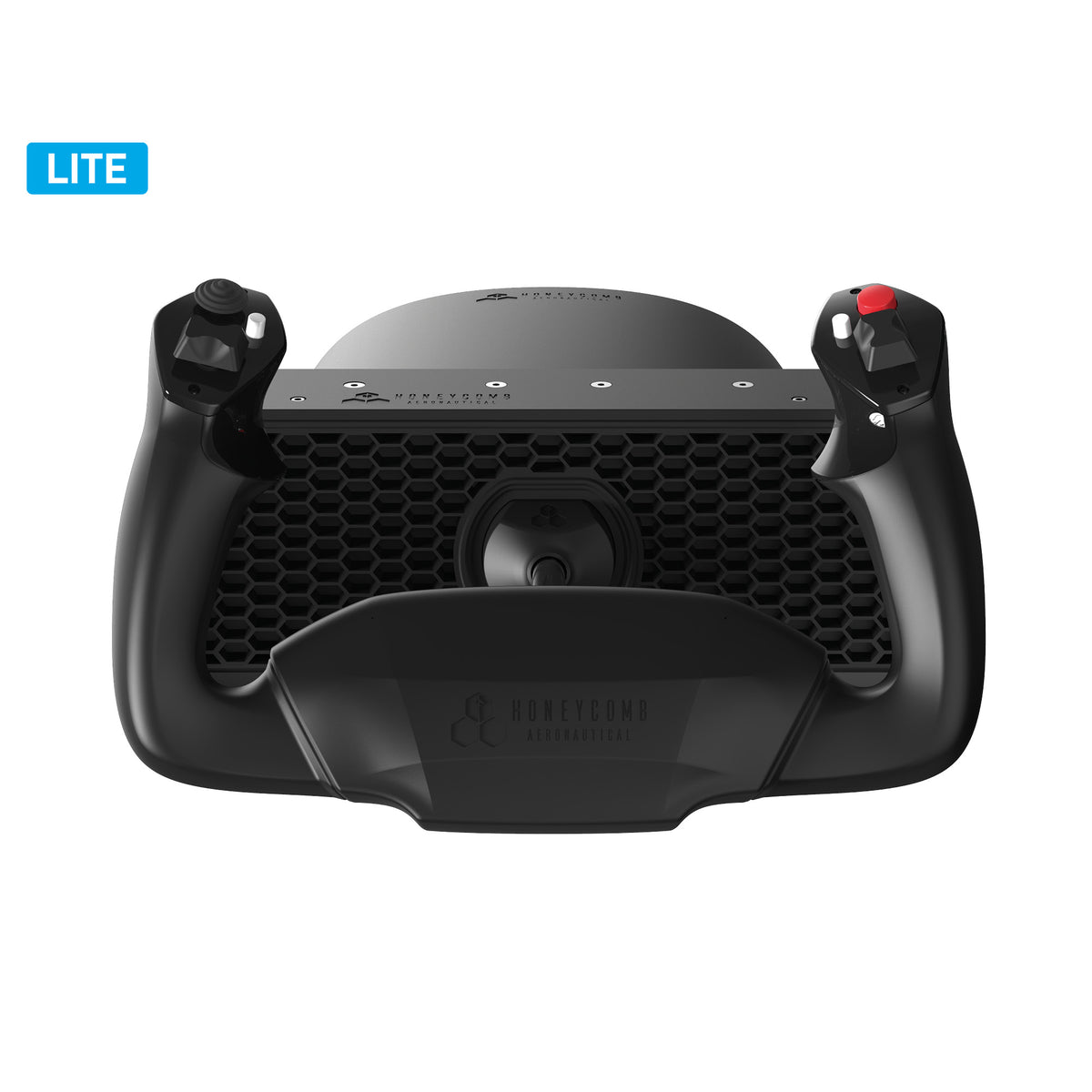
The Alpha Lite is Honeycomb’s purpose-built beginner option. It saves $100 versus the standard Alpha. The trade-off is a reduced control set and no switch panel.
What’s the same
The 180° yoke rotation, self-centering mechanism, and Honeycomb’s build quality are retained. USB-C connectivity, MSFS 2024 profile support (via Honeycomb’s support page), and the 2-year warranty all carry over. Dimensions match the standard Alpha at 40 × 13 × 27 cm (flyhoneycomb.com, retrieved May 20, 2026).
What’s different
The Alpha Lite’s handles carry a POV hat switch, 2-way rocker switches, and 4 programmable buttons — fewer inputs than the standard Alpha. There is no integrated switch panel and no ignition key.
Verdict
If you are brand new to flight simulation and unsure how deep you will go, the Alpha Lite is the smarter first purchase. You get Honeycomb’s construction and MSFS integration at a price that won’t sting if flight sim doesn’t stick. The standard Alpha remains an upgrade path with the same desk footprint.
- Pros: Honeycomb quality at $100 less; beginner-friendly; MSFS 2024 profiles included; 2-year warranty.
- Cons: No switch panel; fewer buttons than the standard Alpha; may feel limited once you advance.
- Who it’s for: True beginners who want quality without over-committing.
Budget pick: Logitech G Saitek Pro Flight Yoke System — $179.99
Primary source: logitechg.com/en-us/products/flight/flight-simulator-yoke-system.html, retrieved May 20, 2026.
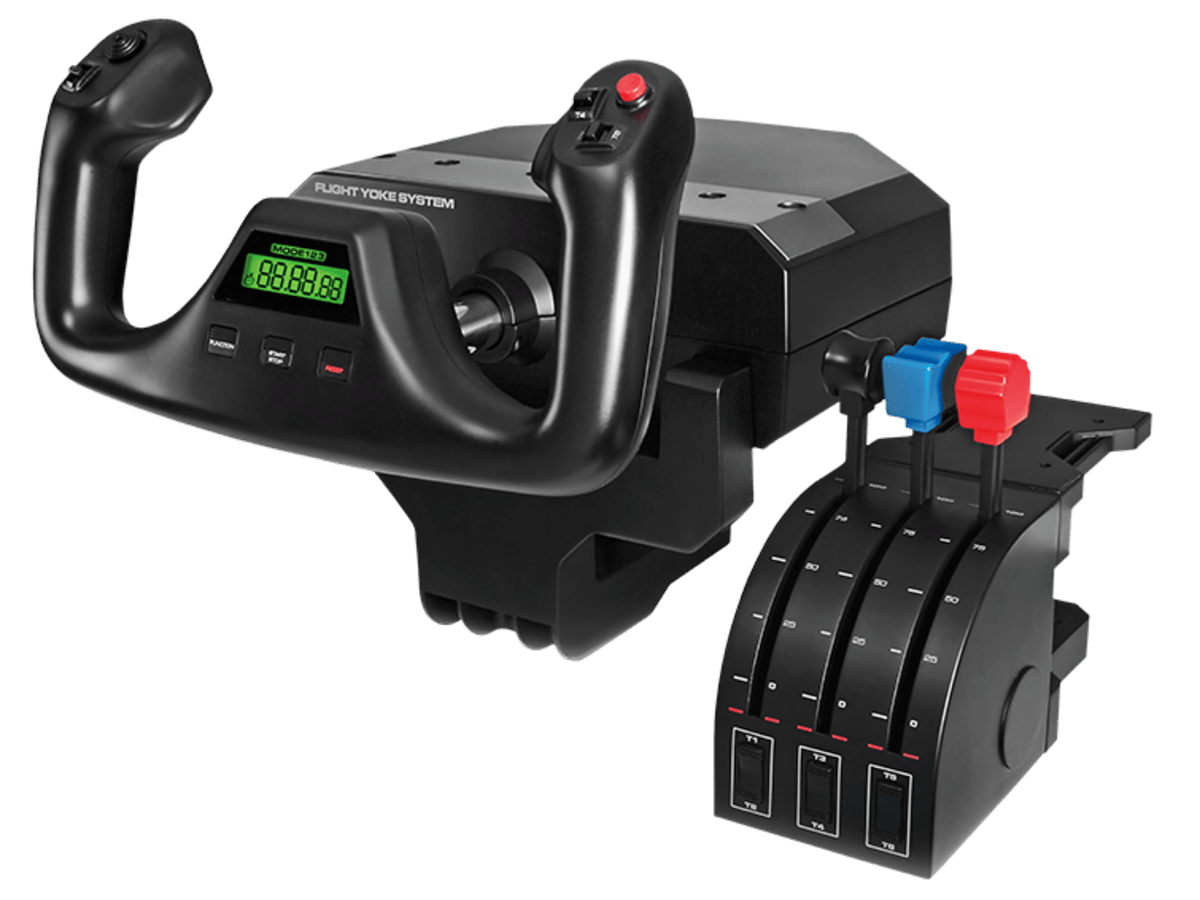
The Logitech G Saitek Pro is the oldest design in this comparison — Logitech acquired Saitek in 2016 and the yoke has been in continuous production since. At $179.99, it is the cheapest yoke here and carries one distinct advantage: the throttle quadrant ships in the box.
What you get
Five total axes (yoke pitch and roll plus three on the throttle quadrant), a stainless steel elevator and aileron shaft (Logitech product page, May 2026), and 25 fully programmable buttons. The three-position mode switch gives you three complete input profiles — 75 configurable controls total. There is a built-in stopwatch and an integrated USB hub. The throttle quadrant’s three levers map to throttle, prop, and mixture out of the box for GA aircraft.
MSFS 2024 compatibility — read this before buying
The Saitek Pro connects to MSFS 2024 via a plug-in from Logitech’s support page. In standard configurations this works. However, the official Microsoft Flight Simulator forums document that Windows 11 version 24H2 breaks Saitek driver saih0c2d.sys, preventing controller enumeration and triggering HID driver errors (HID — Human Interface Device — is the Windows peripheral protocol; a conflict here can prevent the yoke from registering as a game controller) — see the MSFS Hardware & Peripherals forum thread for the full context and current workarounds. Affected users have required older drivers installed in compatibility mode or disabling Windows Memory Integrity. Before purchasing, check that thread for your exact Windows 11 build version. If you are on Windows 10, you are unlikely to encounter these issues.
Verdict
The included throttle quadrant makes this the best total-hardware value at $179.99. But the design is showing its age — this pivot-based mechanism has been in continuous production since the Logitech/Saitek acquisition, predating the ball-bearing shaft systems of current-generation alternatives — and Windows 11 driver management adds friction. A good choice for a budget-conscious beginner comfortable troubleshooting drivers; not the recommendation if you want to plug in and fly immediately.
- Pros: Cheapest complete option; throttle quadrant included; 25 programmable buttons; stainless steel shaft.
- Cons: Older pivot-based design (established pre-current-generation shaft systems); inconsistent Windows 11 24H2 compatibility; throttle levers are basic.
- Who it’s for: Budget-first buyers who are comfortable with driver management.
Premium comparison: Thrustmaster TCA Yoke Boeing Edition — $399.99
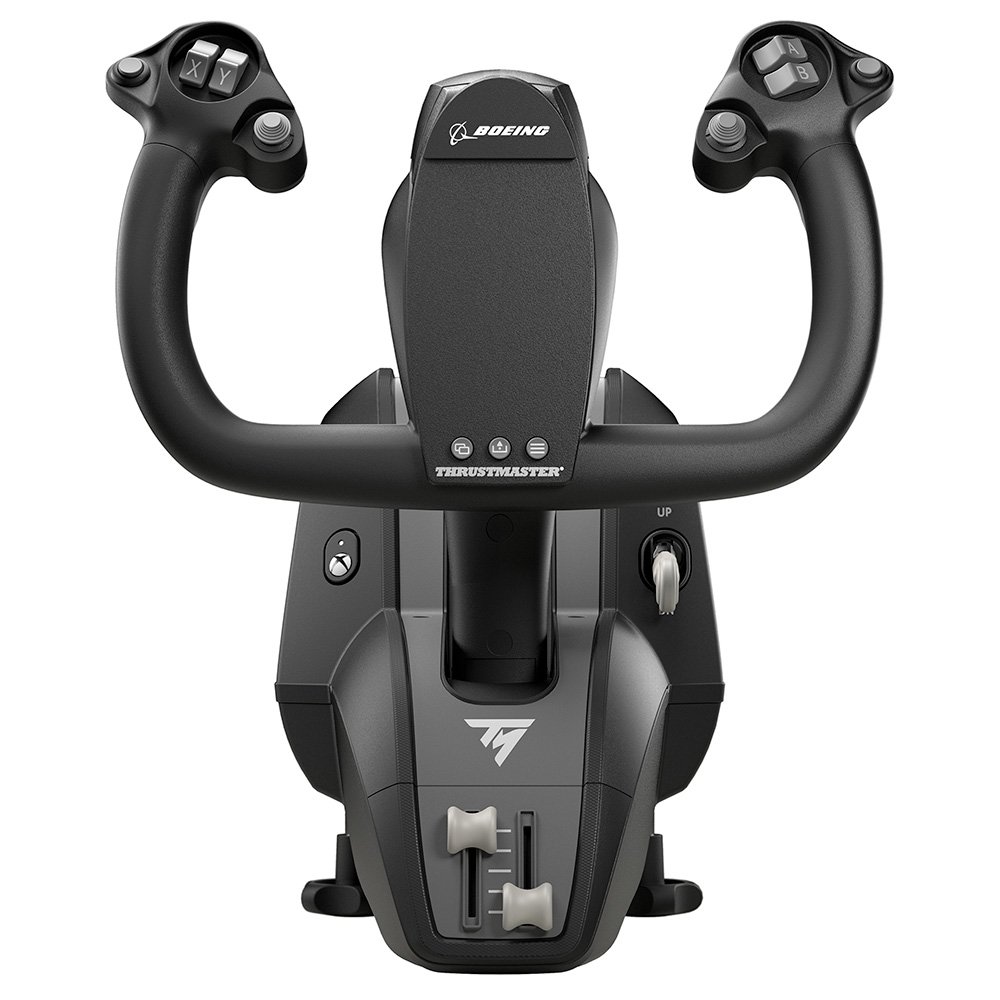
⚠️ Over budget. At $399.99, this yoke is $100 over this guide’s $300 ceiling. It is included for two specific use cases: Xbox users (the only Xbox-compatible yoke in this roundup) and simmers committed to Boeing airliner flying who can stretch the budget.
Primary source: eshop.thrustmaster.com/en_us/tca-yoke-boeing-edition.html, retrieved May 20, 2026.
The TCA Boeing Edition is a 1:1 ergonomic replica of the Boeing 787 yoke, officially licensed by Boeing. Internal structure is 100% metal. The PENDUL_R mechanism provides 8.3 inches (21 cm) of travel; spring resistance is adjustable from 2 to 4 springs simultaneously. Weight: 14.8 lbs. Dimensions: 11.8″ W × 15.4″ D × 15.0″ H.
Compatible with Xbox One, Xbox Series X|S, and PC. Thrustmaster’s product page confirms MSFS 2020 (PC and Xbox) compatibility; MSFS 2024 PC compatibility is not explicitly confirmed on the current listing (retrieved May 20, 2026) — check thrustmaster.com before purchasing if MSFS 2024 PC is your platform.
Who should consider it: Xbox players who want a yoke; Boeing airliner focused simmers who can go over $300.
What to buy alongside a yoke
A yoke handles pitch (nose up/down) and roll (banking). It does not control the rudder — the axis that steers during ground roll and counteracts yaw in flight. None of the four yokes here include a rudder axis; you will need a separate device.
Options:
- Rudder pedals — the realistic choice and the correct pairing for a yoke. Common beginner options: Honeycomb Rudder Pedals or Logitech G Pro Flight Rudder Pedals. Budget roughly $100–150 extra.
- Throttle quadrant — if you choose the Honeycomb Alpha or Alpha Lite (no throttle included), the Honeycomb Bravo Throttle Quadrant ($249.99, flyhoneycomb.com, May 2026) is the natural companion. The Logitech G Saitek Pro includes a basic quadrant in the box.
Recommended order: buy the yoke and rudder pedals first. Add the throttle quadrant when you’re ready.
Frequently asked questions
Is a yoke better than a joystick for MSFS?
For general aviation aircraft and airliners — the types that use yokes in real life — yes. Yokes give you a larger range of motion, better precision on approaches, and more realistic control feel for those aircraft. For fighter jets, bush planes, or aircraft with a centre stick, a joystick or HOTAS is the better fit. If you are unsure what you will fly most, start with a joystick; if you know you want the GA or airliner experience, get a yoke.
Does the Honeycomb Alpha work with MSFS 2024?
Yes. Honeycomb provides MSFS 2024 device profiles and aircraft-specific profiles via their support page. The Alpha connects via USB-C and default bindings work on first connection; Honeycomb recommends downloading the aircraft-specific profiles for optimal axis mapping (source: flyhoneycomb.com, retrieved May 20, 2026).
What throttle should I buy with the Honeycomb Alpha?
The Honeycomb Bravo Throttle Quadrant ($249.99, flyhoneycomb.com, May 2026) is the natural match — same build quality, same MSFS 2024 integration. For a more affordable option, the Logitech G Pro Flight Throttle Quadrant works well as a basic pairing.
Can I use a flight sim yoke with Xbox?
Of the four yokes in this guide, only the Thrustmaster TCA Yoke Boeing Edition ($399.99) supports Xbox One and Xbox Series X|S. The Honeycomb Alpha, Alpha Lite, and Logitech G Saitek Pro are PC-only.
Is the Logitech Saitek yoke still worth buying in 2026?
For the right buyer, yes. The bundled throttle quadrant delivers genuine value at $179.99, and on a stable Windows 10 system it works reliably. The concern is Windows 11 compatibility: the 24H2 update breaks Saitek driver saih0c2d.sys for some users (see MSFS forums thread). If you are on Windows 11 and want a plug-and-play experience, the Honeycomb Alpha Lite at $199.99 is worth the extra $20.
What’s next?
Once your yoke is connected, the next step is configuring your controller bindings correctly in MSFS. Read our MSFS 2024 Day-One Setup Guide for Beginners for step-by-step controller setup, sensitivity baselines, and graphics defaults. When you’re ready to complete the cockpit, our Rudder Pedals pillar covers entry-level to advanced options.
Author: Hardware & Settings Writer, Flight Sim Workshop
Last updated: May 20, 2026
Prices verified: May 20, 2026 — flyhoneycomb.com, logitechg.com, eshop.thrustmaster.com
Sourcing note: All specifications and prices draw from manufacturer product pages as of May 20, 2026, linked inline throughout this article. Community compatibility data references the official Microsoft Flight Simulator forums with direct thread links. No figure in this article is included without a cited primary source. Prices change — verify current pricing before purchasing.